Back up and restore your library
Create an independent file before a major edit, import, update, or browser change. Preview a restore before committing it.

Bring owned text records into PhraseShelf with explicit column mapping, a preview, and a careful review of unsupported commands.
Keep the source export untouched. Work on a copy rather than uploading your library to an online converter. CSV needs a unique header row; generic JSON needs an array of flat records with text properties.
Default mapping uses title, shortcut, body, folder, and tags. Tags are separated by semicolons in the mapped cell. A folder value makes a root folder with that exact name; slashes do not create a hierarchy.
title,shortcut,body,folder,tags
Thank you,;thanks,Thanks for your message.,Replies,email;general
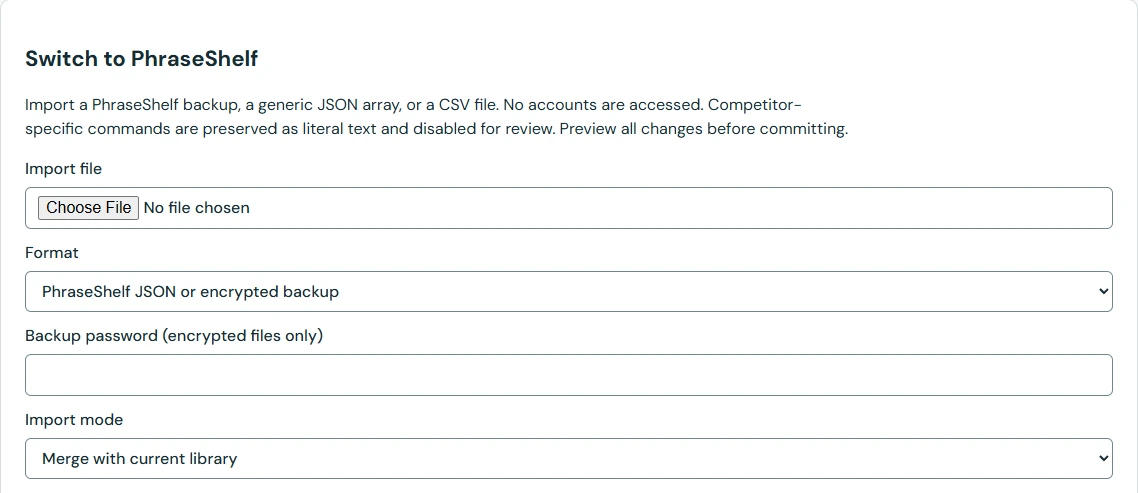
Generic field mapping is not a verified dedicated importer for TextExpander, Text Blaze, Briskine, or ProKeys. Nested vendor formats, automation, mail actions, attachments, and dynamic commands may need deliberate conversion or rebuilding.
Possible foreign markup and commands are preserved literally, marked for review, and disabled rather than executed. Inspect multiline text, quotes, Arabic, tags and shortcuts in representative records before retiring your old tool.
Use Merge when you want to preserve the existing library and settings. Review the explicit ID and shortcut conflict policy. Replace is a different, confirmed operation. Keep the conversion report and original source if some details need rebuilding.
Test a plain reply and a more complex template in practice. Save a new PhraseShelf JSON backup once the imported content is verified. CSV is an import path here; this release does not provide CSV export.
Start with two or three rows, including one multiline reply and one Arabic or accented French reply. Preview them and compare the body, alias, folder and tags with the original. A comma inside a CSV cell needs valid CSV quoting. If columns shift, fix the source copy before importing the rest; do not repair dozens of broken snippets afterward.
title,shortcut,body
Example,;sample,"Hello, Samira"