Create your first snippet
Start with a short acknowledgement, save it with a memorable alias, and test it before using it in a real conversation.

Save an Arabic reply, assign a literal shortcut and test Arabic–Latin text in the real practice editor. The reply language can differ from the interface language.
Use a short Arabic reply such as the example below. Choose ;ar-thanks if you prefer Latin aliases, or ;شكرا if you normally type in Arabic. The leading character is the ASCII semicolon ;, not the Arabic punctuation mark ؛.
Aliases are literal. A change in letters, case or diacritics can stop a match. Pick one spelling and test it with the keyboard layout you actually use. Search is a useful fallback when changing layouts would be awkward.
مرحباً Samira،
وصلني ملخص مشروع Cedar. سأراجع التفاصيل وأعود إليك بالرد.
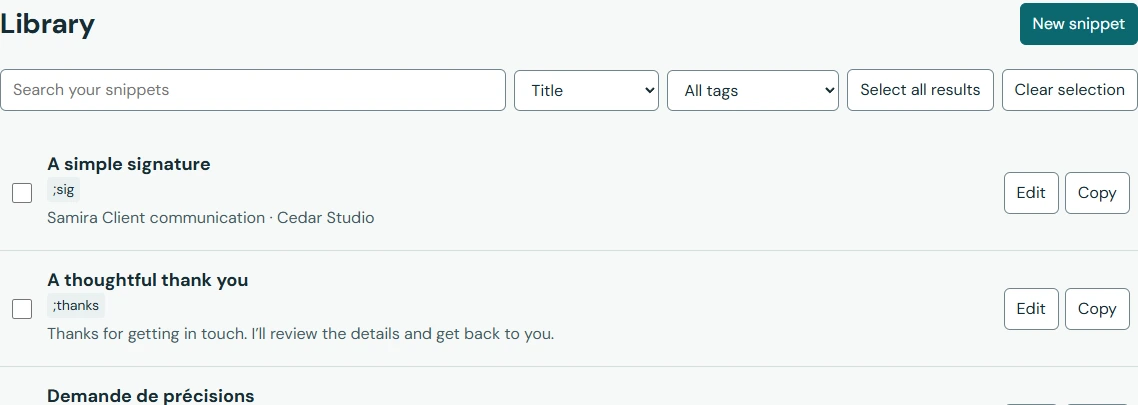
The capture shows the real Arabic library with synthetic multilingual snippets. It is not a translated overlay.
Read the sentence, the Latin name and any number or URL separately. Put long links on their own line when that makes the message easier to read. Do not reverse a Latin name to make it look right.
The destination editor controls much of its paragraph direction. Compare the practice result with a harmless draft in the intended editor. If expansion fails there, check access and use Copy when needed. A practice test does not verify Gmail or Outlook.
مرجع المشروع: Cedar-2026
النسخة: 0.2.0
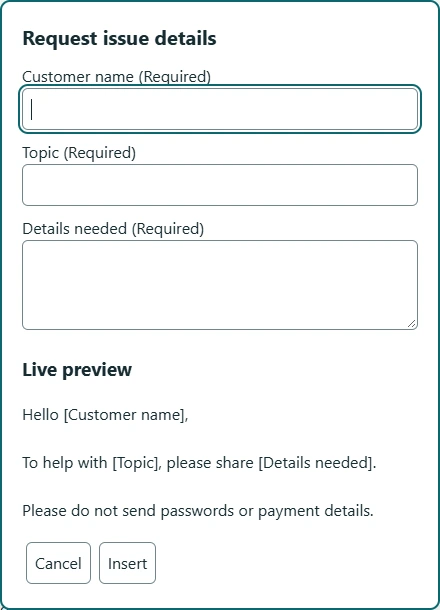
After the plain reply works, replace the name and project in the visual editor with real fields. Preview using both سميرة and Samira. Check the Arabic comma and spacing around the inserted answer.
For a mixed-language library, use descriptive titles and an Arabic tag. Do not create duplicate replies just to give the same content another alias.